
Free tool · no email required
What can you actually afford to pay for a click?
Not a number someone quotes you. What your own margin allows, before you are paying for the privilege of working.
Your break-even click
Break-even means exactly that. At this figure the job earns you nothing. Anything you pay under it is your margin. Clicks that become an enquiry is the hardest number to know without tracking, so try a few values.
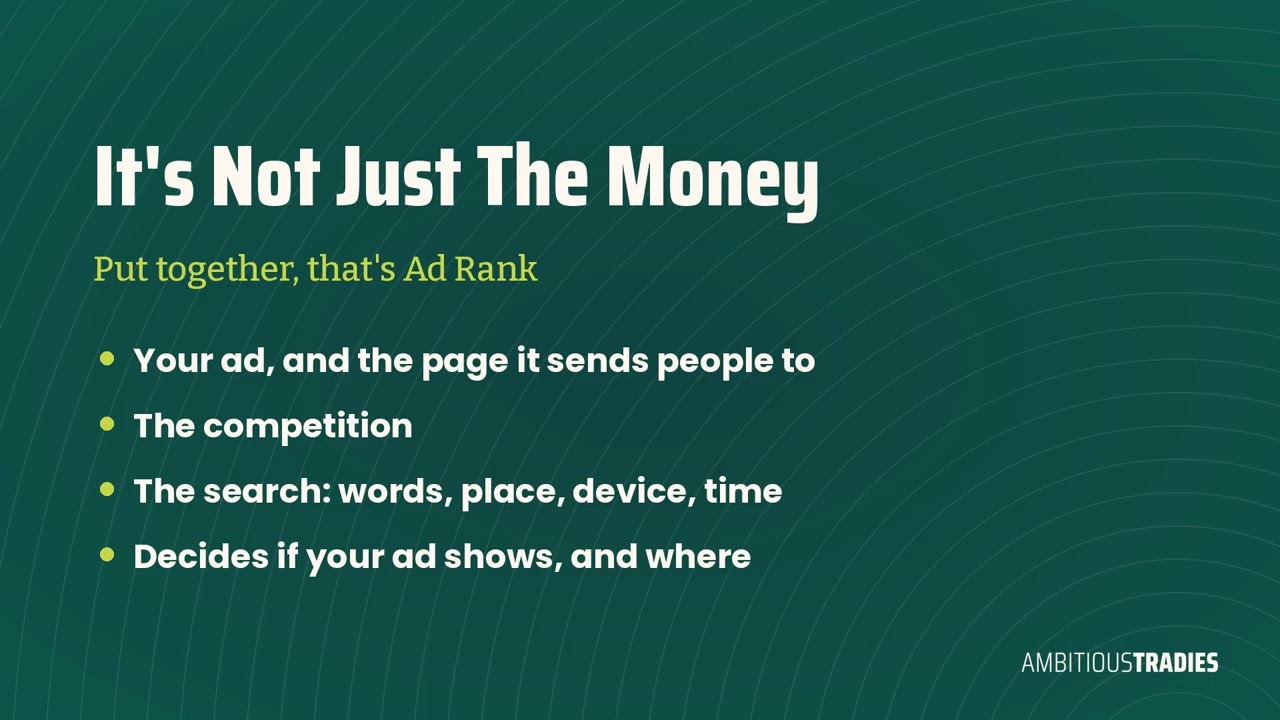
Watch: how Google Ads decides what you pay
Two minutes on the auction, Ad Rank and Quality Score, straight from Google’s own help pages. Presented by Matt, our AI presenter.
What the Google Ads break-even calculator tells you, and why it’s worth a minute
The calculator takes what you keep on an average job, how many enquiries turn into jobs and how many clicks turn into enquiries, and works out the most a click can cost before the ad loses you money. That number only means something next to the going rate for your trade and suburb. These three cards cover where the number comes from, what to do with it, and what the calculator leaves out.
Start from what you keep
A $2,000 job and a $30 click make the maths look obvious. It is not your $2,000. After materials, after the bloke you had on with you, after the ute, it might be $600. That is the number the click comes out of.
So the first thing this calculator asks for is what is actually left. Not turnover. What stays.
Then it works backwards. Not every enquiry becomes a job, and not every click becomes an enquiry. Those two fractions are what turn a $600 margin into a click you can afford, and they are why the affordable click is always smaller than it first looks.
What to do with your break-even number
If the going rate for your trade and suburb is well under your break-even, ads can work. You have room, and the job is managing it properly.
If it is close to your break-even, ads are a treadmill. You will be busy and no better off, and the day you stop paying the phone stops.
If the break-even comes out under a couple of dollars, ads are the wrong tool for that job type at that margin. That is not a failure. It is worth knowing before you pay anyone a monthly fee to find out slowly.
This runs entirely in your browser. Nothing you type is sent anywhere or stored. We keep one plain tally of how often this calculator is used — a number per day, never who used it and never what was entered.
What the Google Ads break-even calculator deliberately leaves out
Management fees. If someone runs the account for you, their fee comes out of the same margin, and it comes out before the clicks do. Our own fee is $897 a month; on 40 clicks a month that is another $22.43 a click, on top of the click. Run the numbers before you hire anyone, us included.
Repeat work. A customer who comes back twice a year is worth more than one job, and a straight break-even ignores that. If you hold customers well, your real ceiling is higher than this shows.
And it assumes the enquiries are the same quality as the ones you get now. Ad clicks are often colder than a referral, so the close rate you type in from memory may be optimistic for this channel. Try it a few points lower and see what happens to the number.
How to read your break-even result
The going rate for your trade and suburb is well under your break-even. You have room. Ads can work, and the job is managing them properly.
The going rate is close to your break-even. Ads are a treadmill. You are busy and no better off, and the day you stop paying, the phone stops.
Your break-even is under a couple of dollars. Ads are the wrong tool for that job type at that margin. Worth knowing before you pay anyone a monthly fee to find out slowly.
The number is bigger than you expected. Check you typed what is left after materials and wages, not the price of the job. Turnover is not what stays.
Four things that make a break-even meaningless
- Typing the job price instead of what is left. A $2,000 job that leaves $600 has a $600 margin. Put in what stays after materials, wages and the ute.
- Guessing the close rate from memory. Use your last few months of enquiries and jobs won. Ad enquiries often close lower than referrals, so try the rate a few points lower.
- Counting visits as enquiries. Plenty of clicks never ring or fill in a form. Count the real calls and forms that came from the ad.
- Leaving out the monthly fee. A management fee is a cost on top of every click. Add it in before you decide whether the number works.
Four numbers from your own books and your own phone, not guesses, are what make a break-even worth acting on.

After the break-even calculator: the free audit
The free calculator tells you the most a click can cost. The audit goes further. A person looks at your website, your Google listing and your reviews next to the tradies you are up against, and emails you what’s holding you back and what we’d do about it, in order. A page that ranks for your suburb doesn’t bill you per click, so it helps to know where that route is worth more than ads. You get the fixes, not just the problems. Knowing the number is free. Acting on it is the part we do.
Free. We email you what we find within a business day. No call unless you ask for one.
We never share or sell your details, and we do not add you to a mailing list.
Keep reading
Read next: buying marketing with your eyes open
4 min read
Cheap marketing? Ask these six questions
What a low monthly price doesn’t tell you, and how to check it in about ten minutes.
6 min read
Five questions to ask a report you pay for
Asked of the marketing report that landed in your inbox this month. Count how many it answers.
6 min read
Write down your day-zero numbers before you hire anyone
One file, one date, written before anybody starts work on your business.
Want to know how many jobs a month you are chasing? The turnover goal calculator works back from what you want to turn over to the jobs and quotes a month that ads, or anything else, have to deliver.
Google publishes its own plain-English reference: Google Ads Help.